Launch Minecraft
the way it should be
Nebula Launcher gives you full control over your game. Pick any mod loader in one click, sign in with Microsoft or offline, host your own server, and manage every instance from one beautifully crafted, lightning-fast interface.
Free • Windows 10 & 11 • ~40 MB installer
A closer look
Built for players who want more
Home
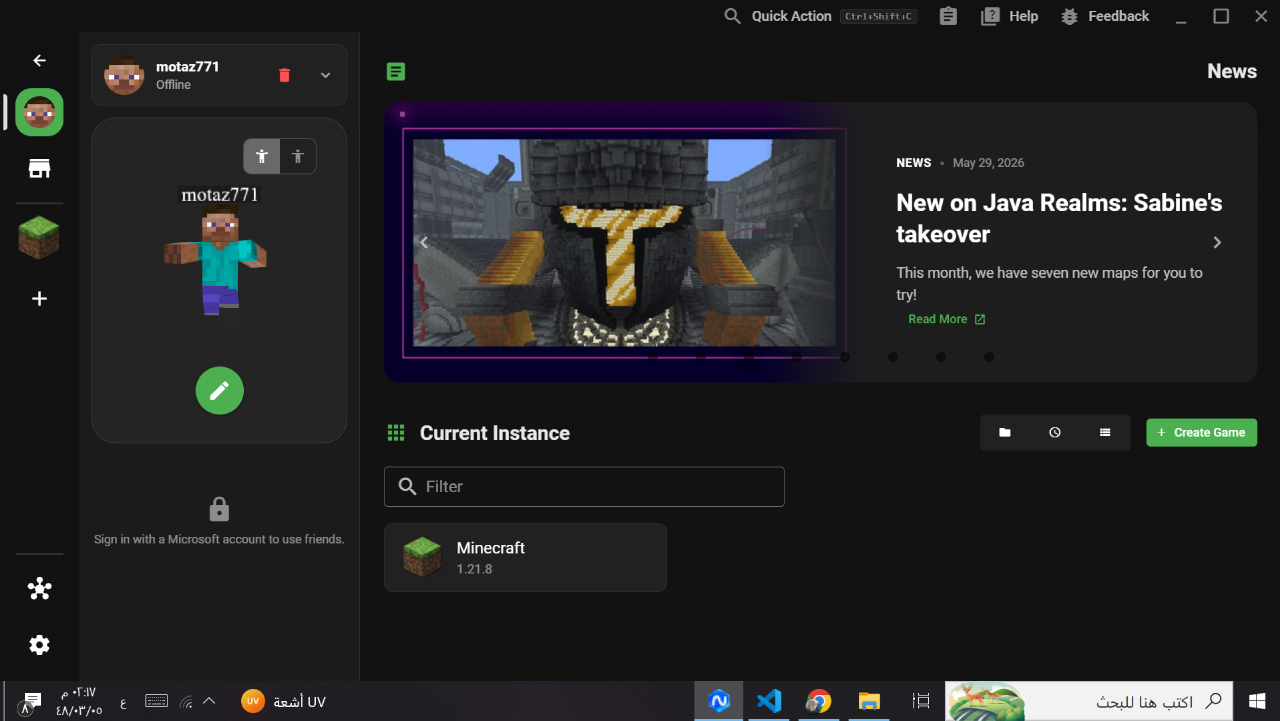
Everything in one clean dashboard
Browse the latest Minecraft news, jump straight into your instances, and create a new game in seconds. A calm, organized home screen that keeps your whole setup one click away.
Versions & Mod Loaders
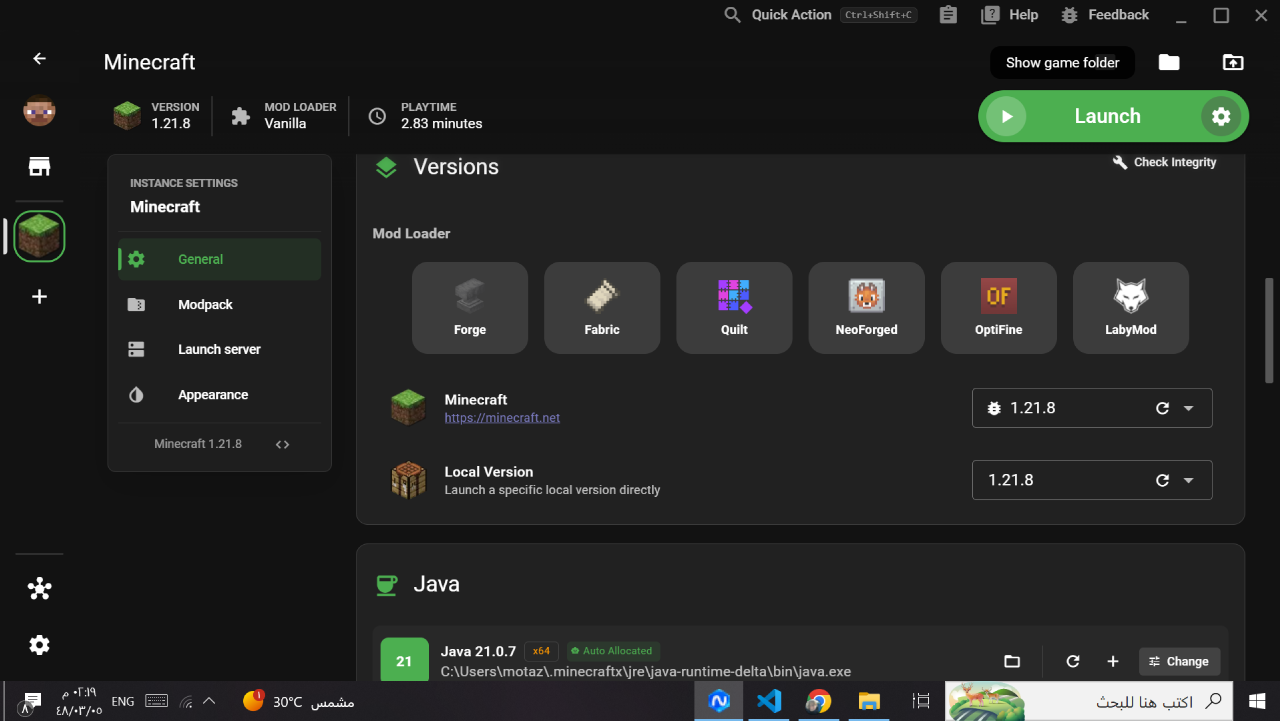
Any mod loader, one click away
Forge, Fabric, Quilt, NeoForged, OptiFine or LabyMod — switch loaders and Minecraft versions instantly. Nebula downloads and configures everything for you, no manual setup required.
Accounts
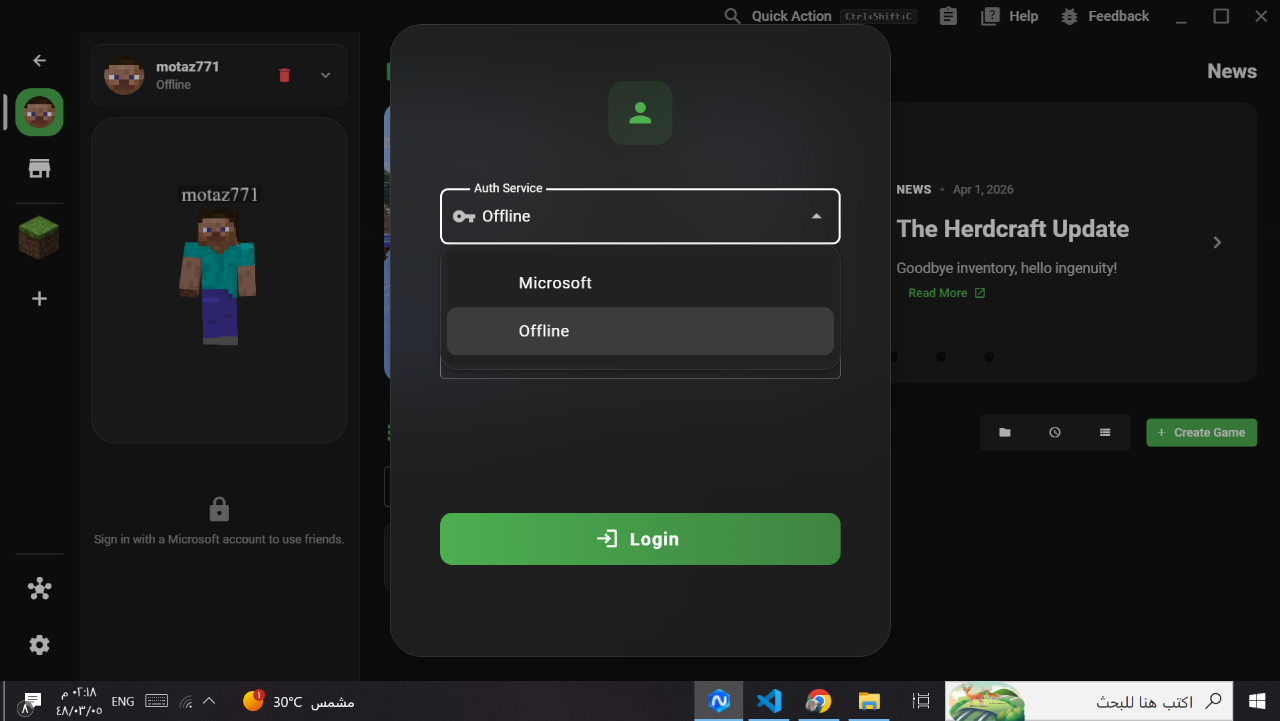
Microsoft or offline — your choice
Sign in with your Microsoft account for full online features and friends, or play instantly in offline mode. Switching between accounts takes a single tap.
Instance Settings
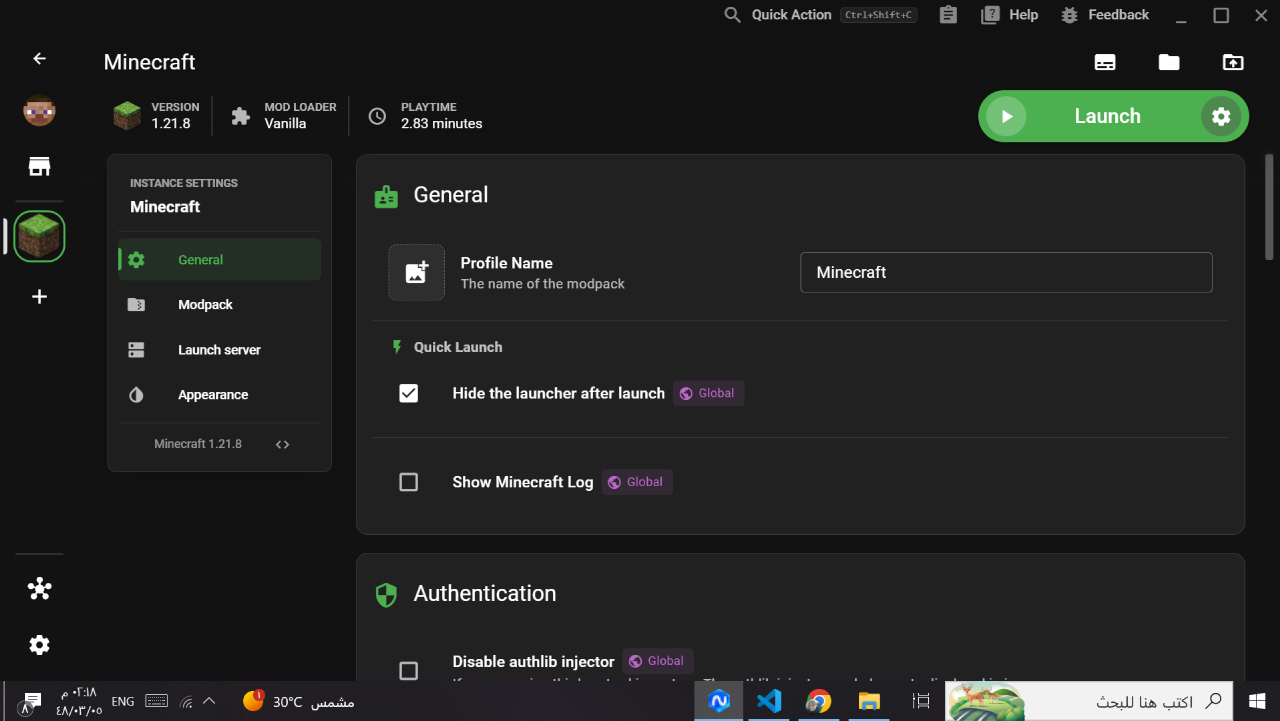
Fine-tune every profile
Rename profiles, hide the launcher after start, tweak quick-launch behavior and manage authentication per instance. Powerful controls that stay out of your way until you need them.
Server Hosting
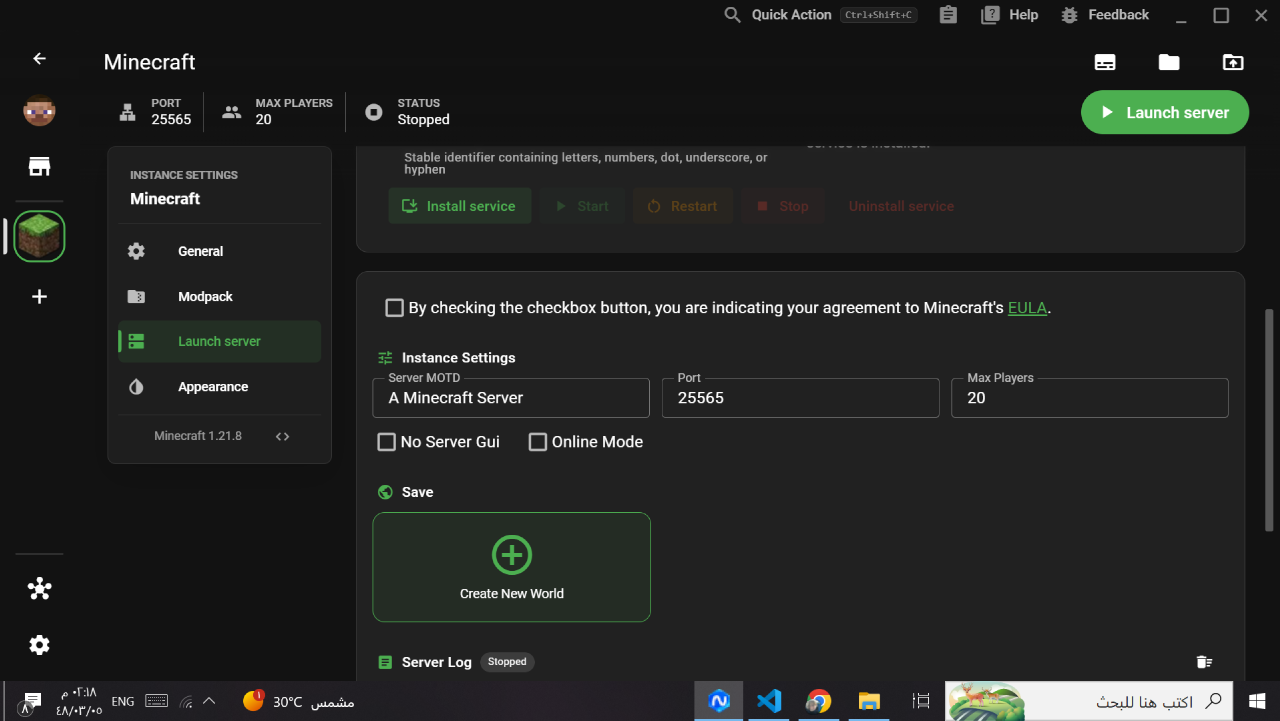
Spin up your own server
Launch a dedicated Minecraft server right from Nebula. Set the MOTD, port and max players, create fresh worlds and watch the live server log — all without leaving the launcher.
Features
Powerful, without the clutter
Everything you need to play, mod and host Minecraft — thoughtfully designed and ready out of the box.
Every mod loader
Forge, Fabric, Quilt, NeoForged, OptiFine and LabyMod — installed and managed automatically.
Blazing fast
A lightweight, native-feeling app that boots instantly and launches the game without the wait.
Flexible accounts
Log in with Microsoft for the full online experience, or hop in with an offline account.
Built-in server hosting
Create and run your own Minecraft server with custom MOTD, port and player limits.
Beautiful by default
A modern dark interface with per-instance appearance settings you can make your own.
Always up to date
New Minecraft versions and loader releases appear the moment they drop — no hunting.
Gallery
See Nebula in action
Home screenMod loadersAccount loginInstance settingsServer hostingHow do you use it?
Two simple steps to get Nebula running.خطوتان بسيطتان لتشغيل نيبلا لانشر.
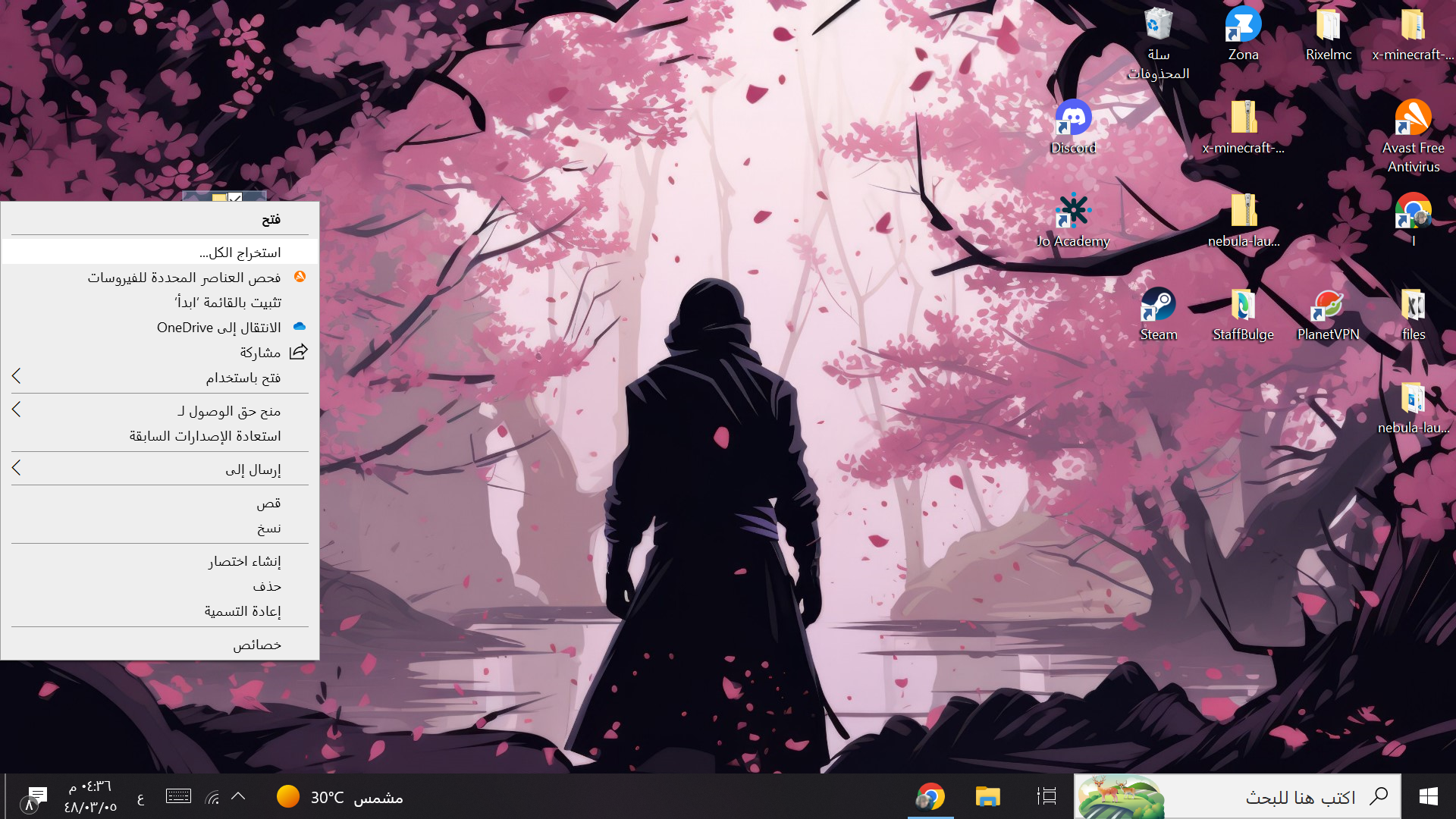
Extract the ZIP file
استخرج الملف المضغوط
After the download finishes, right-click the "nebula-0.66.2-win32-x64.zip" file and click "Extract All" to unpack the launcher into a folder.
بعد انتهاء التحميل، اضغط بزر الفأرة الأيمن على الملف المضغوط ثم اختر "استخراج الكل" لفك ضغط اللانشر داخل مجلد.
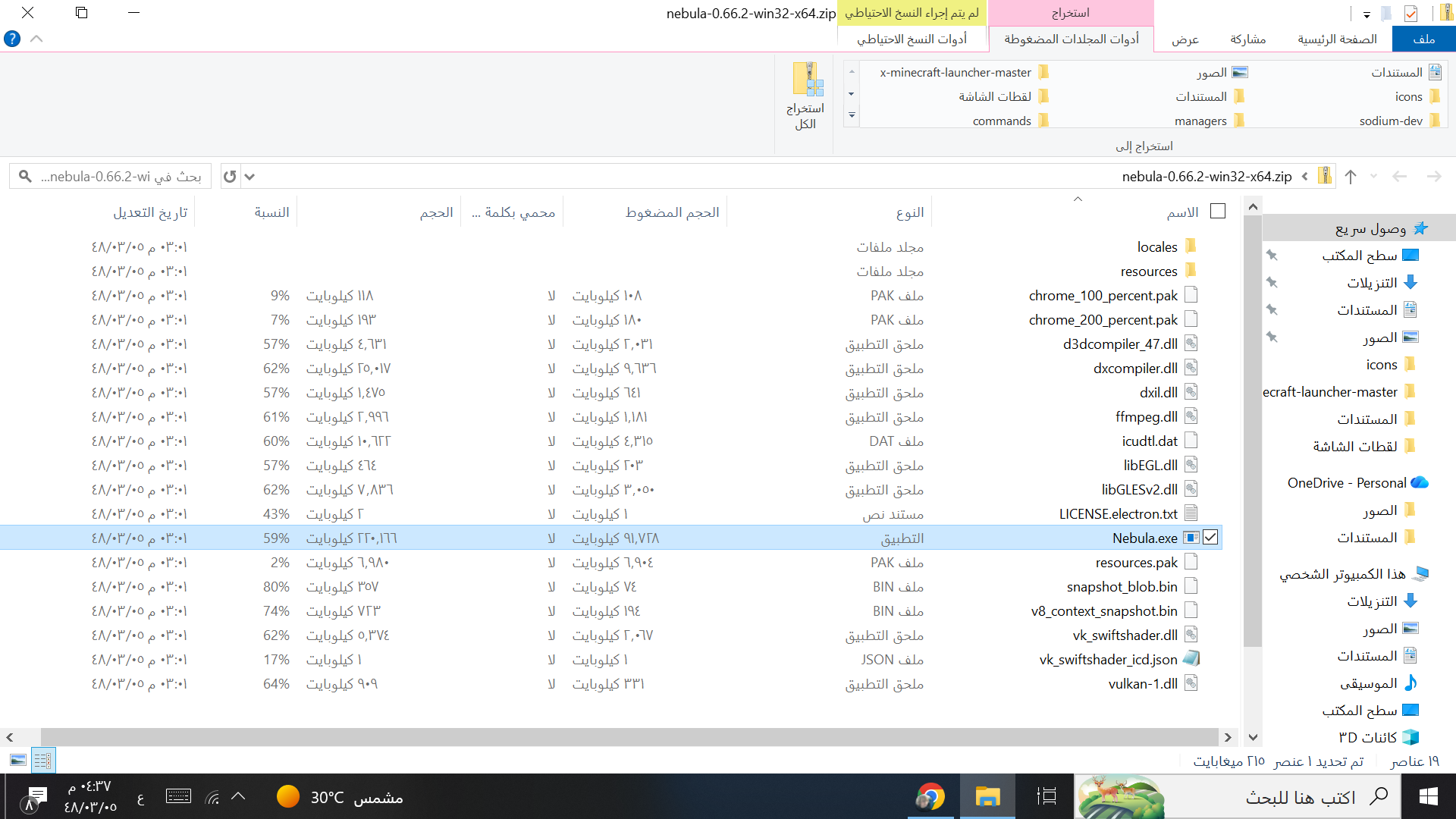
Run Nebula.exe
شغّل ملف Nebula.exe
Open the extracted folder and simply double-click "Nebula.exe". That is it — the launcher will start right away, no installation needed.
افتح المجلد بعد الاستخراج ثم اضغط ضغطتين على "Nebula.exe" وبس — سيفتح اللانشر مباشرة بدون أي تثبيت.
Ready to launch?
Download Nebula Launcher for Windows and start playing in minutes. Free, fast and always improving.
Download for WindowsWindows 10 & 11 • 64-bit
Community
Come hang out with us
Support the project, follow along and join the conversation.